Compare /9 min read
Bug Tracking for Game Communities: What Your PM Tool Can't Do
Jira, Linear, and Asana are great for internal dev work. But when 5,000 players are reporting bugs through Discord, Steam, and in-game forms, you need something between your community and your backlog.

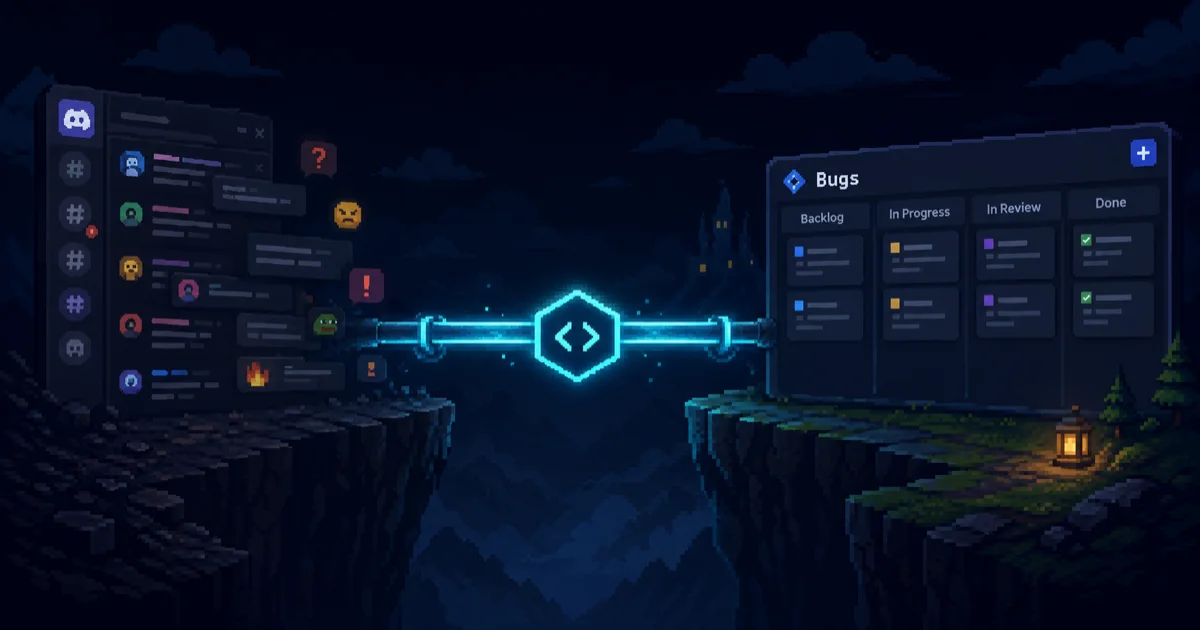
Your bug tracker works fine — for your team. QA files structured tickets. Engineers link commits. Sprints get planned.
But your players don’t file Jira tickets.
They do this:
SniperElite_Fan: yo the reload animation freezes if you sprint + reload at the same time
CasualCarl: yep happens to me too on PS5
CasualCarl: also unrelated but the minimap disappeared after fast traveling
rage_quit_randy: RELOAD BUG STILL NOT FIXED??? I reported this 2 weeks ago
SniperElite_Fan: wait is it the same as the one where your character gets stuck?
Two bugs, one duplicate, one misidentification, zero reproduction steps. And someone on your team needs to turn this into actionable work items — manually.
That’s the gap this article is about. Not which PM tool is better. They’re all fine for internal work. The problem is everything that happens before a bug reaches your backlog.
Five Things Your PM Tool Wasn’t Built For
1. Ingesting Bugs From Where Players Actually Are
Players report bugs in Discord channels, Steam forum threads, Reddit posts, and — if you’re lucky — in-game forms. Your PM tool expects a structured ticket with a title, description, priority, and maybe a label.
Someone has to bridge that gap. In most studios, it’s the community manager: reading Discord all day, copy-pasting into Jira, reformatting, tagging, assigning. For small communities, that works. Once you have a few thousand active players, it becomes a full-time job that doesn’t scale.
What’s missing: A way to capture bug reports directly from community channels — Discord threads, in-game overlays, web forms — without requiring players to learn your internal ticketing format.
2. Deduplicating Messy Player Language
When your QA team finds the same bug twice, they know. They use the same terminology, reference the same systems, and can search existing tickets effectively.
Players don’t do this. “Reload animation freezes” and “character gets stuck when reloading” and “gun breaks after sprinting” might all be the same bug. Or they might be three different bugs. Your PM tool’s text search won’t catch semantic duplicates — it matches keywords, not meaning.
On projects with active communities, roughly 12% of bug reports are duplicates on average, climbing to 50% on larger projects. That’s a lot of manual triage time spent on issues someone already reported.
What’s missing: Semantic duplicate detection that understands “reload freezes” and “gun breaks after sprint-reload” describe the same issue — and merges them without losing either reporter’s context.
3. Capturing Game-Specific Context Automatically
A useful bug report for a game needs more than a text description. It needs:
- Build number and platform — Does this happen on 1.2.3 or the nightly? PC or console?
- Screenshots or video — What exactly did the player see?
- Log files — Console output, crash dumps, GPU driver info
- Reproduction context — What were they doing when it happened?
Your PM tool has file attachment fields. But it can’t capture this data. It relies on whoever files the ticket to manually gather and attach everything — and players almost never do.
The result: engineers get a ticket that says “game crashes sometimes” with no logs, no build number, and no way to reproduce it. They spend more time investigating the report than fixing the bug.
What’s missing: Automatic context capture at the point of reporting — system info, logs, screenshots, and video collected without the player having to know what’s relevant.
4. Closing the Feedback Loop Back to Players
Here’s a scenario that plays out in every game community:
- Player reports a bug in Discord
- Community manager creates a Jira ticket
- Engineering fixes the bug two sprints later
- The Jira ticket gets closed
- The player who reported it never hears about it
Two weeks later, that player posts “this bug STILL isn’t fixed” — because from their perspective, it isn’t. They reported it into a void. No acknowledgment, no status update, no notification when it shipped.
Your PM tool tracks the fix internally. It doesn’t communicate back to the community. That broken feedback loop erodes trust: players stop reporting bugs because they believe nobody’s listening.
What’s missing: Automatic player notifications when their reported bug changes status — acknowledged, in progress, fixed. A way for the community to see that reports lead to action.
5. Prioritizing by Community Signal, Not Just Severity Labels
In your PM tool, priority is usually set by a human: P1 through P4, or Critical/High/Medium/Low. That works for internal QA where the person filing the ticket understands the codebase.
But player-reported bugs carry a different kind of signal. When 200 players report the same crash in 48 hours, that’s more urgent than a cosmetic bug your QA team flagged as P2. When community sentiment around a specific issue turns negative, that’s a leading indicator that a hotfix is worth the sprint disruption.
Your PM tool doesn’t aggregate community volume, detect frustration trends, or surface which bugs are generating the most noise. It just stores whatever priority label someone assigned.
What’s missing: Priority signals derived from community data — duplicate count, report velocity, player sentiment — not just manual labels.
How the Workflow Should Actually Look
The fix isn’t replacing your PM tool. It’s adding a layer between your community and your backlog that handles the messy parts:
| Step | What happens | Where it happens |
|---|---|---|
| 1. Players report | Bug reports come in through Discord commands, in-game forms, or a web portal | Community channels |
| 2. Reports get structured | AI generates clear titles, extracts reproduction steps, captures system info and logs automatically | Feedback platform |
| 3. Duplicates merge | Semantic matching identifies reports about the same issue and merges them — every reporter stays credited, priority increases | Feedback platform |
| 4. Community manager curates | CM reviews structured reports, decides which ones go to the dev team | Feedback platform |
| 5. Issues sync to your backlog | Selected reports push to Jira, Linear, GitHub, or whatever your team uses — with all context attached | PM tool |
| 6. Players get notified | When the issue status changes in your PM tool, reporters see the update on the public board or through Discord | Feedback platform → Community |
This is what BetaHub does. It’s not a Jira replacement. It’s the layer that sits between your community and your backlog, handling ingestion, deduplication, context capture, and the feedback loop.
What This Looks Like in Practice
In-game reporting with automatic context
BetaHub provides plugins for Unity and Unreal Engine that let players report bugs from inside the game. One button captures a screenshot or gameplay video, attaches console logs and system info, and sends a structured report — no alt-tabbing to a web form, no asking players to “please attach your logs.”
For Roblox games, a lightweight widget captures bug reports and console logs directly in-game.
Discord integration without the copy-paste
BetaHub’s Discord bot lets players use /report commands or dedicated bug report channels. There’s also a listen mode that detects potential bug reports in regular conversation — no slash command required.
Reports filed through Discord get the same AI processing as in-game reports: structured titles, duplicate detection, and automatic categorization.
Project management integrations, not a walled garden
BetaHub syncs with Jira, GitHub, GitLab, Linear, Asana, Monday.com, ClickUp, Notion, Fibery, and Redmine. Jira Cloud and Redmine get two-way sync — status and priority changes flow back to BetaHub and out to the community.
Your team keeps working in whatever tool they already use. BetaHub handles the community-facing side.
Comparison: Generic PM Tool vs. PM Tool + BetaHub
| Capability | PM tool alone | PM tool + BetaHub |
|---|---|---|
| Bug ingestion from Discord | Manual copy-paste | Automated via bot with /report and listen mode |
| In-game bug reporting | Not possible | Unity and Unreal plugins with full context capture; Roblox widget for bug reports and console logs |
| Duplicate detection | Keyword search (manual) | AI semantic matching — automatic merge with reporter credits |
| System info & logs | Player must attach manually | Captured automatically with in-game plugins |
| Player notifications | None | Automatic updates when bug status changes |
| Community sentiment | Unknown | Tracked with sentiment analysis (Pro plan) |
| Triage time per report | Several minutes (manual formatting, duplicate checking, context gathering) | Significantly less (pre-structured, deduplicated, context attached) |
| Public bug tracking | Not available | Players can view status and vote on public boards |
Getting Started
BetaHub’s free plan includes 1,000 bug reports, 1,000 feature suggestions, and 1,000 support tickets per 30 days — up to 2 projects. No credit card required.
Setup takes about 15 minutes: create a project, connect your Discord server, and optionally add the Unity or Unreal plugin. If you use Jira or GitHub, the integration setup is another 5 minutes.
For studios that want to see it in action first: book a demo or check out the case studies from teams like MADFINGER Games and Night Street Games.
FAQ
Does BetaHub replace Jira / Linear / Asana?
No. BetaHub complements your existing PM tool. It handles the community-facing side — ingestion, deduplication, context capture, player communication — and pushes curated issues to your backlog. Your team keeps working in whatever tool they already use.
What if we don’t use Discord?
Discord is the most common channel for game communities, but BetaHub also works through in-game plugins (Unity, Unreal, Roblox) and a web-based bug reporting portal. You don’t need Discord to use it.
How does duplicate detection work?
BetaHub uses semantic matching — it compares the meaning of reports, not just keywords. “Reload animation freezes” and “gun breaks after sprint-reload” get flagged as potential duplicates. When confirmed, reports merge: all reporters stay credited, and the issue’s priority increases based on report volume.
Can we control what reaches our PM tool?
Yes. BetaHub doesn’t auto-push everything to your backlog. Your community manager or QA lead reviews reports and decides which ones to sync. You can also set up rules for automatic sync based on priority, duplicate count, or engagement heat.
What does it cost?
Free for up to 1,000 bug reports + 1,000 suggestions + 1,000 tickets per 30 days (2 projects). Standard plan starts at $26/dev/month. See pricing for details.
Join for free today
Supercharge your team with the best bug tracking and player feedback tools. No credit card required, forever free.
Our Mission
At BetaHub, we empower game developers and communities with an engaging platform for bug submission. We foster collaboration, enhance gaming experiences, and speed up development. BetaHub connects developers, testers, and players, making everyone feel valued. Shape the future of gaming with us, one bug report at a time.


2026 © Upsoft sp. z o.o.