Compare /Apr 22, 2026 /9 min read
Why Jira Alone Isn't Enough for Game Community Feedback
Jira is great for your dev team. But who's standing between your 10,000 Discord players and your Jira board? Learn how to bridge the gap between community feedback and your project management workflow.

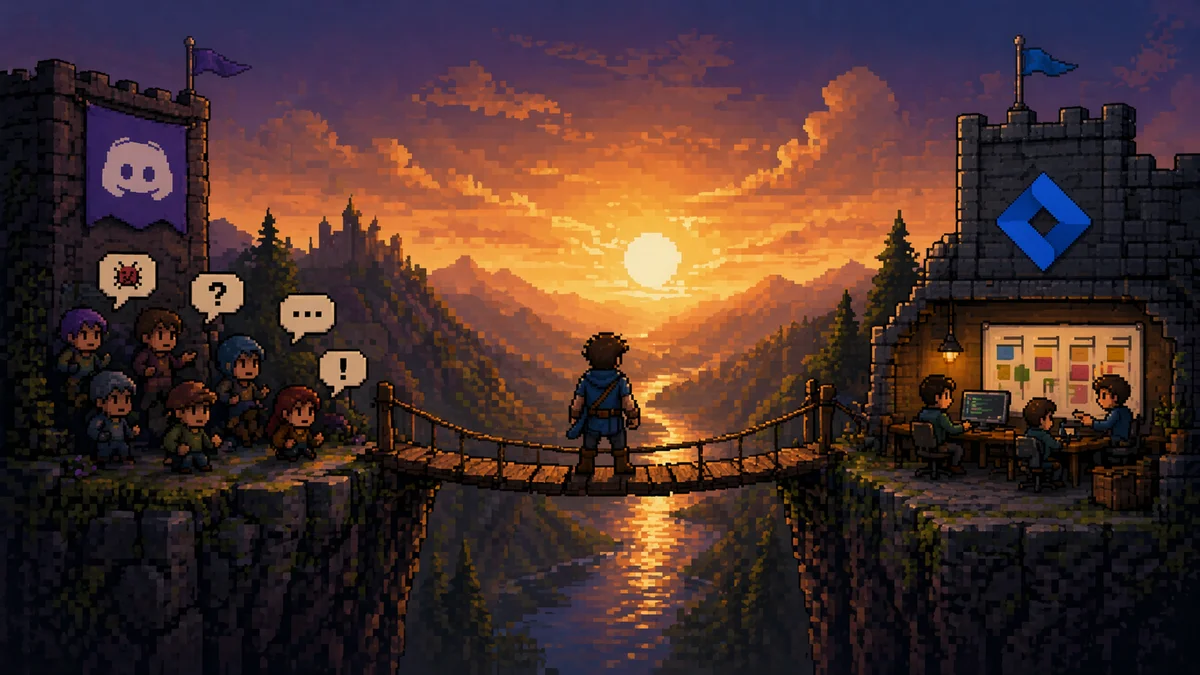
Your Jira board is clean. Sprints are planned. Bugs are prioritized.
Meanwhile, your Discord server looks like this:
Player_42: the game crashes when I open inventory
xXDarkSlayerXx: yeah same
ModeratorMike: Can you send your logs?
Player_42: what logs
noob_gamer_99: inventory broken for me too, also the merchant NPC is missing after the last update
Player_42: oh and the sound cuts out sometimes
xXDarkSlayerXx: +1 merchant NPC gone
Three distinct bugs. Zero structure. And your community manager is about to spend the next hour turning that conversation into Jira tickets by hand.
This is the gap. Jira handles what happens after a bug reaches your team. Nothing handles what happens before.
The Gap Between Your Community and Your Backlog
Jira, Linear, GitHub Issues, Asana — these are excellent tools for managing work inside your development team. They were designed for developers talking to developers. Structured tickets, sprint planning, code-linked issues, status workflows. No complaints there.
But game development has a unique problem that enterprise software teams don’t: thousands of non-technical players generating feedback every day, most of it unstructured, much of it duplicate, and all of it happening on Discord.
The typical workflow looks like this:
- Player reports a bug in Discord (vaguely)
- Community manager reads it, asks for details
- Community manager reformats and copies it into Jira
- Developer fixes the bug in Jira
- …and that’s where it ends. The player never hears back.
There are three problems with this:
Problem 1: The copy-paste bottleneck. Your community manager becomes a full-time data entry clerk. As your player base grows, this doesn’t scale. One person can handle 20 reports a day. What happens when you get 200? Or 2,000?
Problem 2: Duplicate chaos. On average, roughly 12% of bug reports are duplicates — and in large projects, that number can hit 50%. Without automated detection, your community manager triages the same issue over and over, and your Jira board fills with near-identical tickets.
Problem 3: The broken feedback loop. Players who report bugs and never hear back stop reporting. You lose your most valuable source of QA — your community. The ones who care enough to write a report are exactly the players you want to keep engaged.
What Jira Can’t Do (And Shouldn’t Have To)
To be clear: we’re not here to replace Jira. Jira is built for development teams, and it’s good at that job. But there’s a set of problems that no project management tool is designed to solve:
| Capability | Jira | What’s Missing |
|---|---|---|
| Collect bug reports from Discord | No | Players report where they already are — Discord, not Jira |
| Capture in-game video, screenshots, and logs automatically | No | Requires manual collection and attachment |
| Detect and merge duplicate reports from players | No | Each ticket is independent; deduplication is manual |
| Generate structured reports from vague player descriptions | No | Players don’t write Jira tickets |
| Notify the player when their reported bug is fixed | No | Jira’s audience is your team, not your community |
| Analyze community sentiment across channels | No | Jira tracks issues, not mood |
These aren’t Jira weaknesses — they’re simply outside its scope. Jira is an internal tool. The gap is external: the space between your player community and your development workflow.
Bridging the Gap: How It Actually Works
BetaHub was built specifically to fill this gap. It sits between your players and your project management tool, handling collection, organization, and the feedback loop.
Here’s the actual workflow:
Step 1: Players report naturally
Players submit feedback through the channels they’re already using:
- Discord — via slash commands (
/report), or BetaHub’s listen mode that automatically detects bug reports in conversation - In-game — via plugins for Unity, Unreal Engine, and Roblox that capture gameplay video, screenshots, and log files with one button
- Web forms — embeddable feedback widgets for your website or web game
No player ever needs to touch Jira or learn a ticket format. And if you’re a solo dev wearing every hat — developer, community manager, QA team — this means your players do the reporting work for you, in the channels they already use.
Step 2: AI organizes the chaos
Every incoming report goes through BetaHub’s AI pipeline:
- Title generation — Turns “the game crashes when I open inventory” into a structured, searchable bug title
- Priority assignment — AI assesses severity based on the report content and your game’s context
- Duplicate detection — Semantic matching identifies that “inventory crash”, “game freezes on backpack screen”, and “CTD when pressing I” are all the same bug. Duplicates are merged, not discarded — every reporter is credited, and the issue’s priority rises with each duplicate
- Quality guidance — A submission strength gauge coaches players toward providing more useful information in real-time
The result: instead of 200 raw Discord messages, your community manager sees 40 organized, deduplicated, prioritized issues.
Step 3: Community manager curates what reaches your dev team
This is the human-in-the-loop step. You — or your community manager, if you have one — review the organized issues and decide which ones to push to Jira (or GitHub, Linear, Asana, or any of 10 supported integrations).
You can do this manually — select an issue, click “Send to Jira”, and it creates a properly formatted Jira ticket with all the context, attachments, and metadata.
Or you can enable auto-sync: automatically push new issues to your external tool as they come in, and keep them updated as status, priority, or attachments change. This filters out the manual step while ensuring community issues reach your dev team without delay.
Step 4: Two-way sync keeps everything in sync
With BetaHub’s Jira Cloud integration, the connection is bidirectional:
- Outbound: Bug title, description, priority, tags, and attachments flow from BetaHub into Jira
- Inbound: When a developer changes the status or priority of the issue in Jira, that change syncs back to BetaHub automatically
No manual status updates. No “let me check Jira and update the tracker” step.
Step 5: Players hear back
This is the part most workflows miss entirely.
When a bug’s status changes — whether through Jira sync or directly in BetaHub — the reporter and anyone who submitted a duplicate get notified through Discord. They can also track progress on the public bug board.
“Your reported bug has been fixed.”
That single notification turns a frustrated player into a loyal tester. They reported something. It got heard. It got fixed. They know.
Players report. You fix. They know.
Beyond Jira: Works With Your Existing Stack
While we’ve focused on Jira here, the same gap exists with every project management tool. BetaHub integrates with:
- Jira (Cloud with two-way sync, Server, and Data Center)
- GitHub (sync issues)
- GitLab (gitlab.com and self-hosted)
- Linear, Asana, Monday.com, ClickUp
- Notion, Fibery, Redmine
The principle is the same regardless of which tool your team uses: BetaHub handles the player-facing side, your project management tool handles the developer-facing side, and the integration keeps them connected.
What This Looks Like at Scale
Centro Studio — 3 developers, 600,000 players
Centro Studio runs a Roblox experience with 600,000 monthly active users. Their 3-person team processes over 1,500 player submissions per month through BetaHub. They discovered 3,000+ requests for new bus models that were previously invisible — buried in Discord noise that no one had time to parse manually.
Night Street Games — 50% less time on triage
Night Street Games used BetaHub’s Unreal Engine plugin during development of their 5v5 third-person shooter Last Flag. With automatic log capture and structured reporting, they cut weekly triage time from 2–5 hours down to 1–2 hours — and caught backend bugs that players couldn’t describe but the plugin’s automatic log capture revealed.
MADFINGER Games — 40,000+ reports on launch day
When Gray Zone Warfare launched to 72,000+ concurrent players, the feedback volume was massive. BetaHub’s AI processing and duplicate detection handled the flood, organizing 40,000+ submissions into actionable issues without the team drowning in chaos.
Getting Started
BetaHub’s free plan includes 1,000 bug reports, 1,000 suggestions, and 1,000 tickets per month — plus Discord bot integration and duplicate detection. No credit card required.
If your team already uses Jira, you can set up the integration in minutes — connect via OAuth2, map your statuses and priorities, and choose whether to sync manually or automatically.
You don’t have to ditch Jira. You just have to stop pretending it can do everything.
FAQ
Does BetaHub replace Jira?
No. BetaHub handles the player-facing side of feedback — collection, organization, deduplication, and the feedback loop back to players. Jira handles your team’s development workflow. BetaHub pushes curated issues into Jira and syncs status changes back.
What integrations are supported besides Jira?
BetaHub integrates with GitHub, GitLab, Linear, Asana, Monday.com, ClickUp, Notion, Fibery, and Redmine. The same bridging workflow applies regardless of which tool your team uses.
Is the Jira integration bidirectional?
For Jira Cloud: yes. Status and priority changes in Jira sync back to BetaHub automatically via webhooks. For Jira Server and Data Center, sync is one-way (BetaHub → Jira).
How does duplicate detection work?
BetaHub uses AI-powered semantic matching to identify reports describing the same issue, even when the wording is completely different. Duplicates are merged — every reporter is acknowledged — and the issue’s priority increases with each duplicate, so the most-reported problems naturally rise to the top.
Can I control what gets pushed to Jira?
Yes. You can push issues manually on a per-issue basis, or enable auto-sync to automatically push new issues and keep them updated as they change.
What does the free plan include?
1,000 bug reports, 1,000 suggestions, and 1,000 tickets per month. Up to 2 projects. Discord bot integration and duplicate detection included. No time limit, no credit card.
Join for free today
Supercharge your team with the best bug tracking and player feedback tools. No credit card required, forever free.

Our Mission
At BetaHub, we empower game developers and communities with an engaging platform for bug submission. We foster collaboration, enhance gaming experiences, and speed up development. BetaHub connects developers, testers, and players, making everyone feel valued. Shape the future of gaming with us, one bug report at a time.

2026 © Upsoft sp. z o.o.