News /Jul 17, 2026 /8 min read
What's New in BetaHub — June & July 2026
Upsoft is now ISO/IEC 27001 certified, plus Ask to Retest, Team Identity & Privacy, Surveys, per-project tester muting, Sentiment Crisis Analysis, a reworked Discord forum flow, and a long list of improvements.


This cycle covers mid-June through mid-July. Upsoft — the company behind BetaHub — is now ISO/IEC 27001 certified. On the product side: asking reporters to confirm a fix actually worked, controlling how your team appears to players, sending surveys to testers, muting disruptive testers per project, explaining sudden drops in player sentiment, and a reworked Discord forum flow.
Upsoft is ISO/IEC 27001 Certified

Upsoft, the company that builds BetaHub, has received ISO/IEC 27001 certification — the international standard for information security management. The certification covers how we manage the security of the data BetaHub handles: bug reports, player feedback, logs, and account information.
You can read the details on the Upsoft security page.
Two related changes shipped this cycle:
- EU data residency for AI — sentiment and support-knowledge AI now runs on EU inference profiles with embeddings hosted in Frankfurt.
- Sentiment raw-message privacy switch — a per-project toggle to keep raw player messages out of the Sentiment view.
Ask to Retest
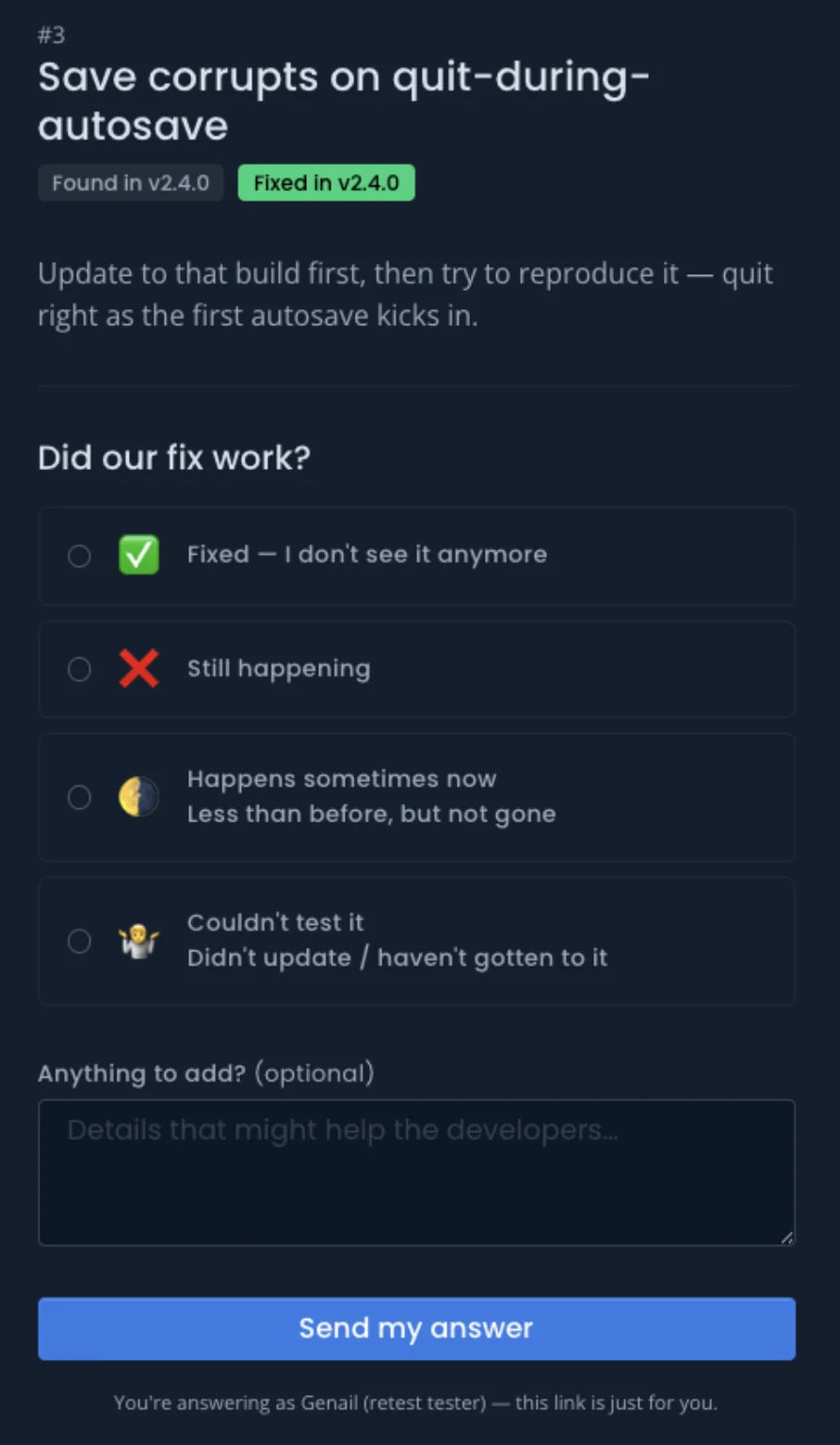
After you resolve a bug, BetaHub can ask the people who reported it to confirm the fix actually worked. Each reporter gets a personal link — delivered by Discord DM or email — that asks “Did our fix work?” with four answers: Fixed, Still happening, Happens sometimes, or Couldn’t test. Their replies roll up on the bug.
Answers never change the bug’s status on their own — they’re recorded on the bug for you to act on.
Team Identity & Privacy
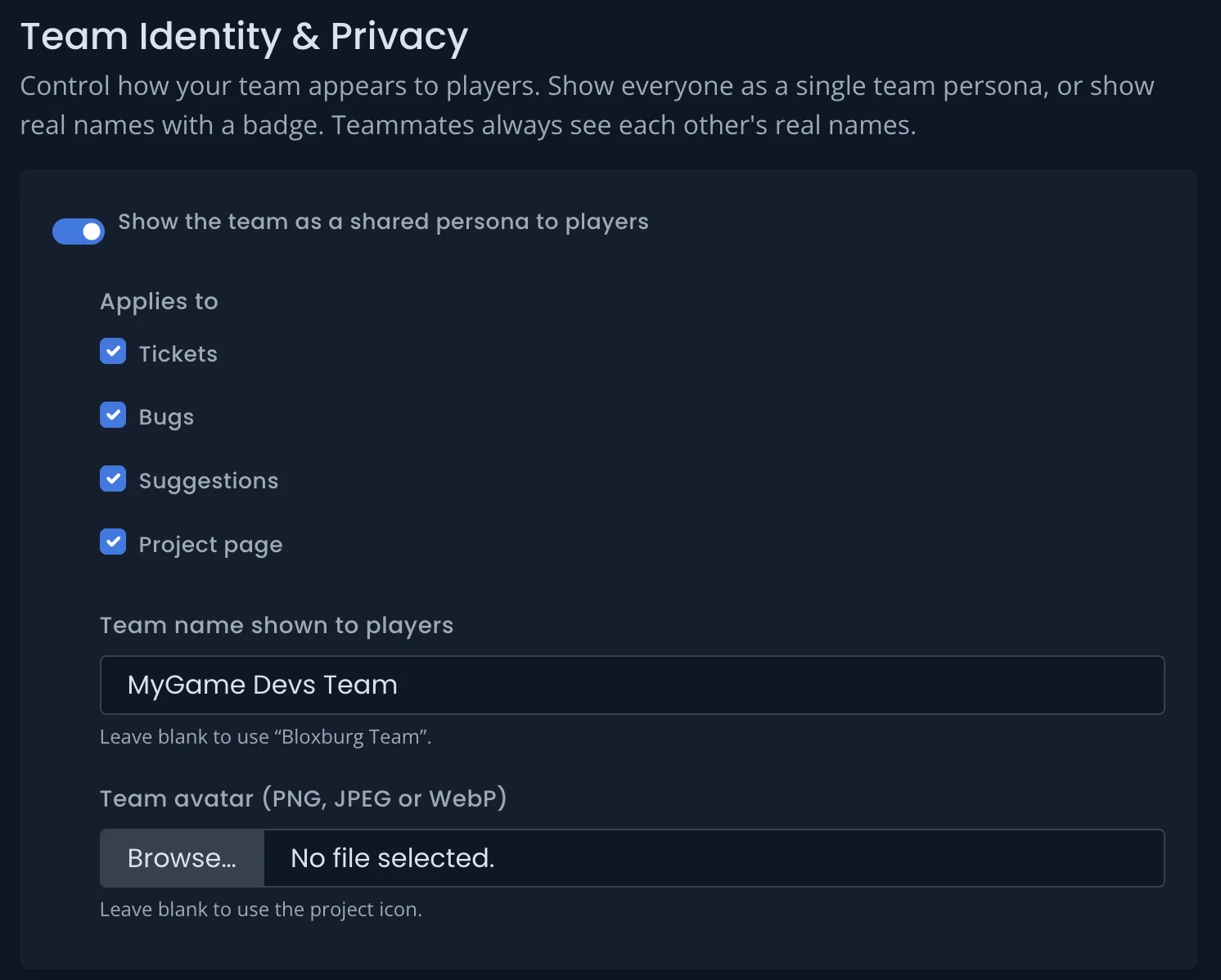
Choose how your team appears to players: as a single shared team persona (for example, “Bloxburg Team”) or with real names and a custom role badge. The setting is per project, and you pick where it applies — bugs, suggestions, tickets, and your project page.
Teammates always see each other’s real names. The chosen identity also applies to Discord comments and the feature-request comment feed, so an @-mentioned teammate isn’t exposed to players there either. Find it under your project’s Settings.
Surveys
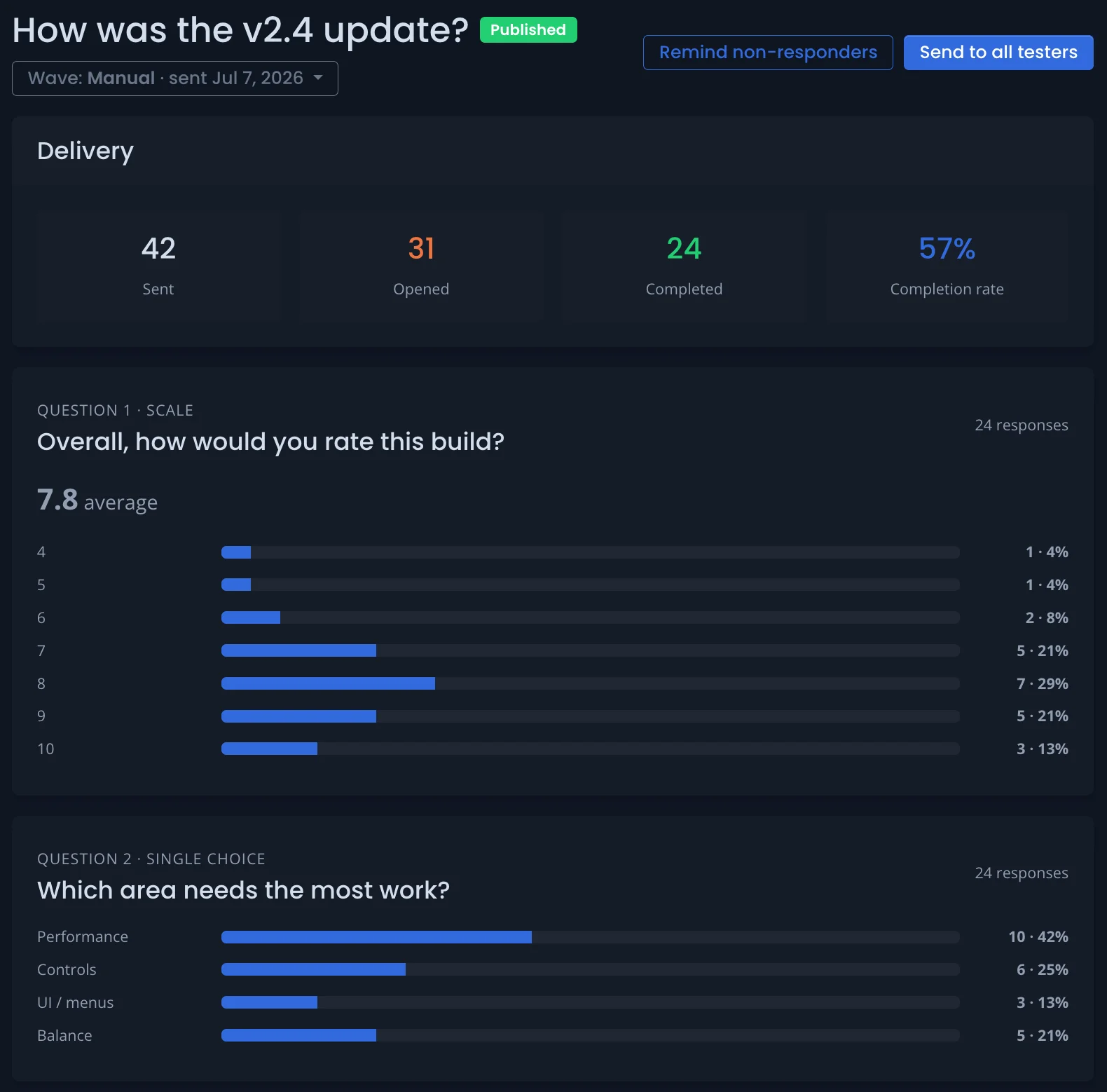
Send structured questionnaires to your testers and see the results in one place: a sent → opened → completed funnel plus a per-question breakdown of every answer, including written feedback. Turn it on per project under Settings › General.
You can also share a public survey link that doesn’t require sign-in, with optional anonymous responses.
Mute Testers Per Project
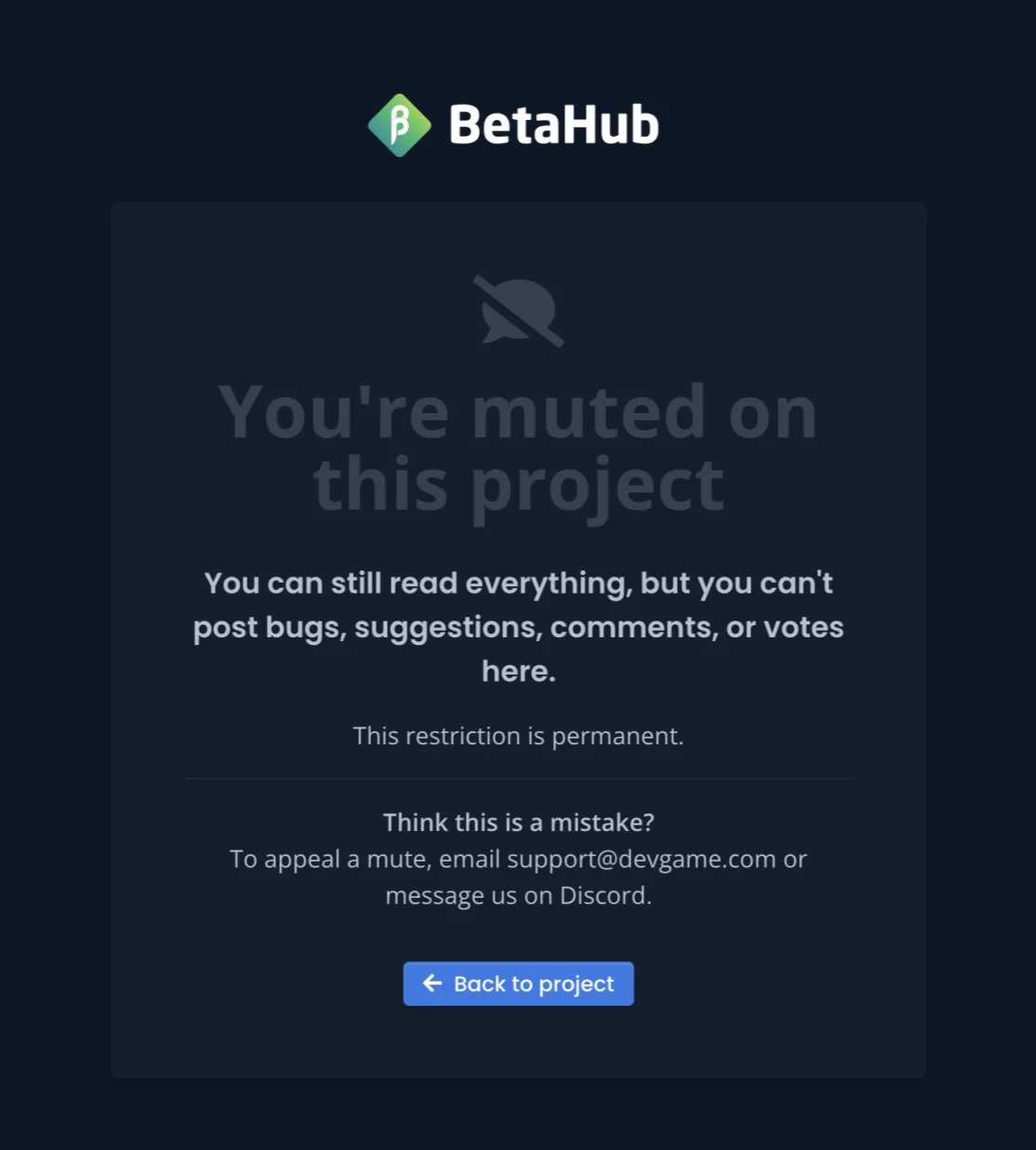
Mute a disruptive tester on a single project. A muted person keeps full read access but can’t post bugs, suggestions, comments, or votes — they can still delete their own content. The restriction applies across the website, the public bug and suggestions boards, and the Discord bot; their access to your other projects is unchanged.
- Permanent or timed — a timed mute lifts itself automatically when it expires.
- Internal reason — a private note only your team sees.
- Public reason (optional) — shown to the muted person; leave it blank to show none.
- Appeal message — set per project, shown on the muted person’s page.
Manage mutes from the new Muted tab on the Members page, or mute someone directly from their profile. The mute follows the person even if they change email or sign in with a different account.
Sentiment Crisis Analysis
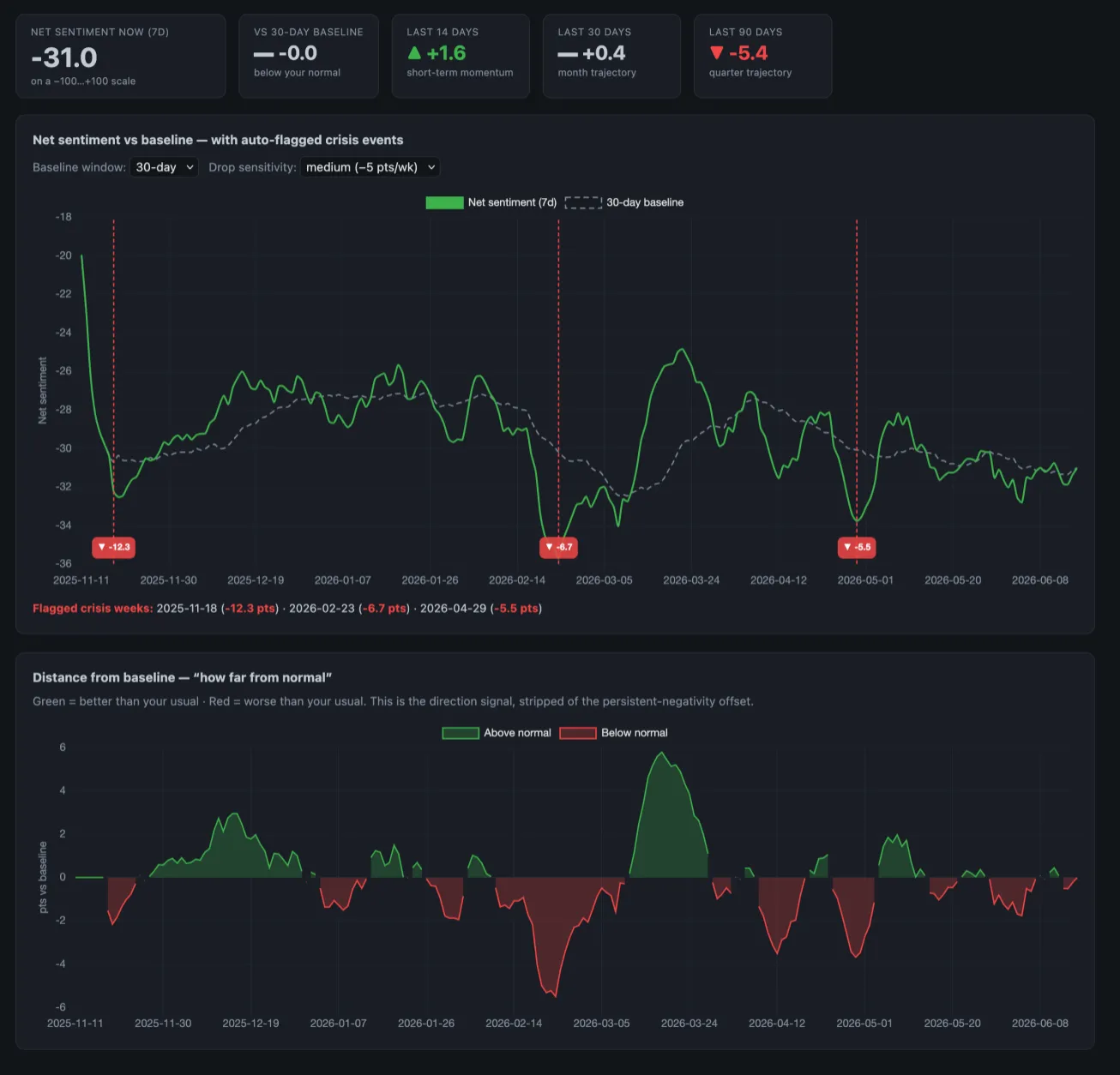
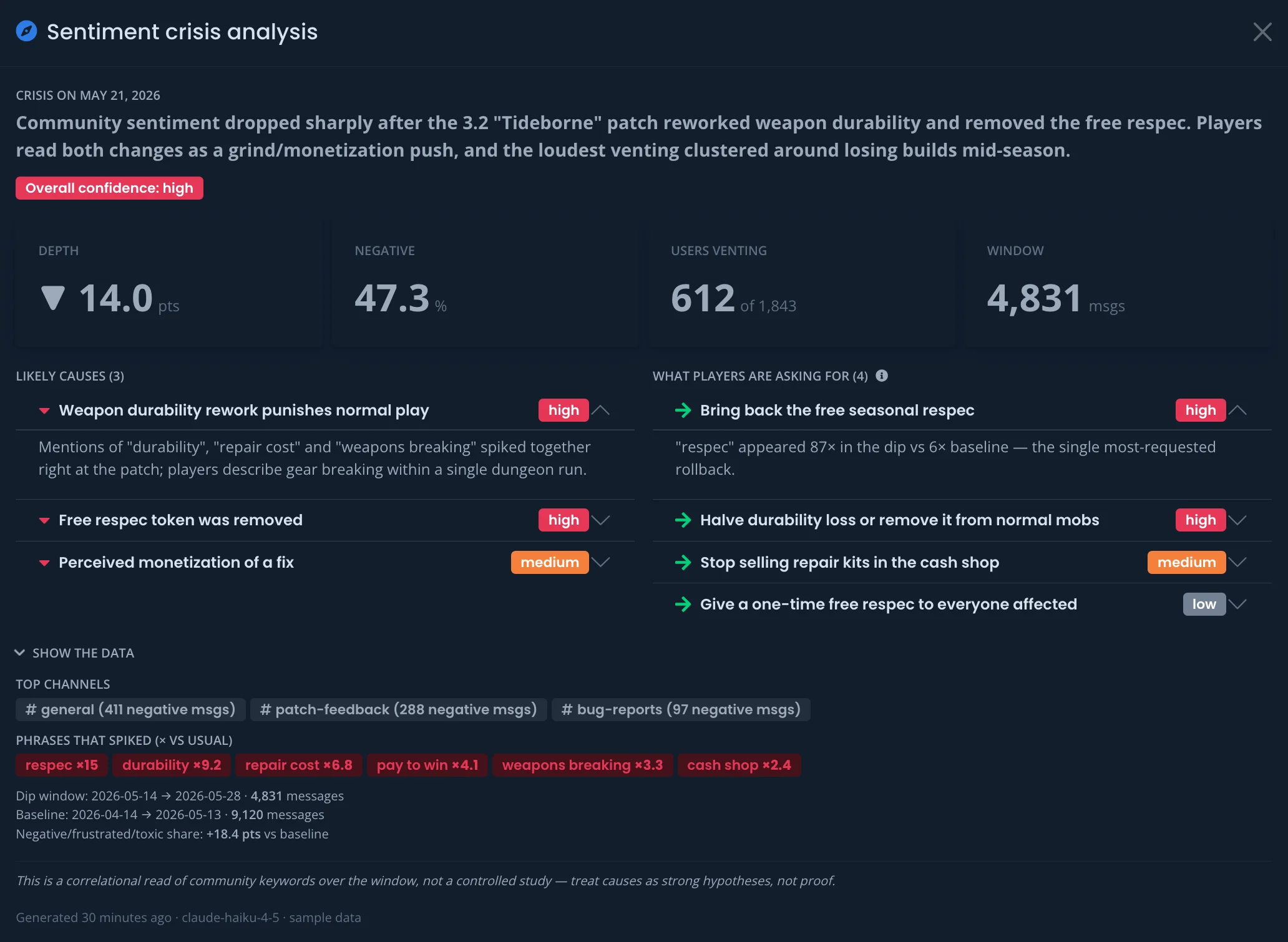
The Sentiment Direction chart measures net sentiment against your community’s own baseline and auto-flags the weeks where it dropped sharply. Click a flagged drop to see what happened: a plain-language summary, the likely causes, and the specific changes your players are asking for, backed by the channels and phrases that spiked during the dip. Root-cause analysis runs on demand when you open a flagged period.
Sentiment analysis documentation
Discord: Reworked Forum Flow & Popularity Icons
The Discord bot’s forum-channel integration changed across several areas this cycle:
- Edit-driven report creation — a too-short forum post no longer waits for follow-up messages. The bot asks the creator to edit their first post, and files the report the moment the edit meets the minimum length. A still-too-short edit refreshes the prompt with live progress.
- Upload Media button — forum bug confirmations now carry an Upload Media button (and a View on BetaHub button) that opens the media-upload modal.
- Reaction voting for suggestions — reacting on a suggestion thread’s opening post casts or removes a real BetaHub vote, and a bot-owned message keeps the count in sync with the dashboard. On by default, with a per-project opt-out; the emoji setting chooses which emoji counts (default 👍).
- Popularity icons — as a suggestion collects votes, the bot prefixes its thread title with a 🔥 hotness tier: 5+ → 🔥, 15+ → 🔥🔥, 50+ → 🔥🔥🔥 (thresholds are per-project configurable). The title changes only when a suggestion crosses a tier, and any manual edits to the title text are preserved.
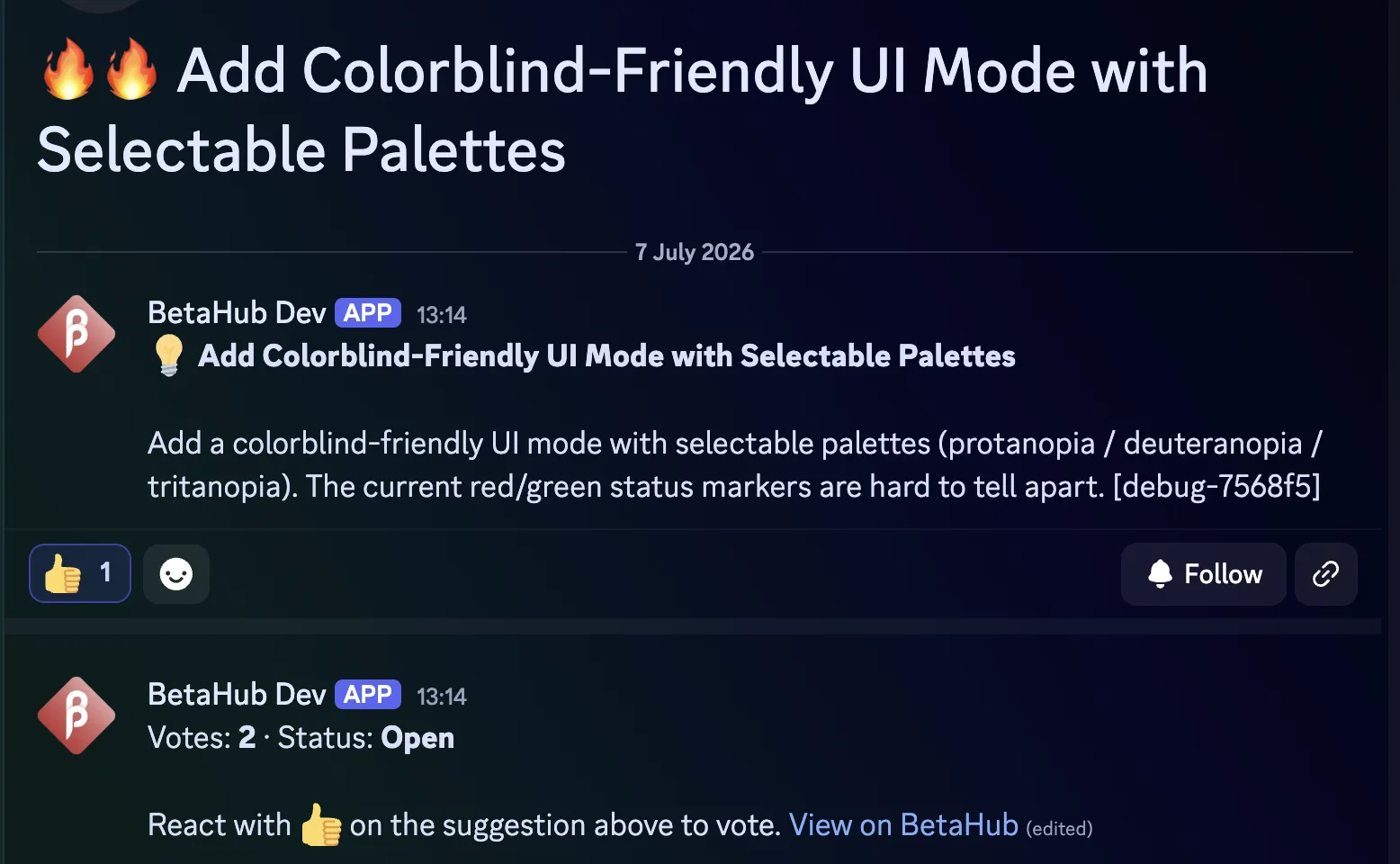
| Forum integration documentation | Popularity icons | Thread indicators |
Bug Triage Queue on All Plans
The Discord Bug Triage Queue — which collects bug reports for daily batch review instead of creating issues immediately — is now available on all plans.
Bug Triage Queue documentation
Quality of Life
Paste images into comments — press Ctrl+V (Cmd+V on Mac) to attach a clipboard image straight into a comment. Works on bug, suggestion, and ticket comments, and you can paste several at once.
Actual-size (1:1) image view — the full-screen image lightbox has a new 1:1 button that shows a screenshot at exact pixel size, with drag-to-pan. It stays pixel-exact as you resize the window.
Reply-by-email tickets — replying to a ticket email now reopens or follows up on the ticket, matching the web flow. Reporters also receive a confirmation email they can reply to. Support documentation
FeatureUpvote importer — import suggestions and votes from FeatureUpvote, with a read-only dry-run preview before you commit, plus no-mail and anonymous-vote support. Managing feedback documentation
Integration field mappings preserved — saving “Automatic Actions” on an integration (Notion, Jira, and others) no longer resets your field mappings. Issue links sent to integrations now use https. Integrations documentation
@-mention picker — the comment @-mention dropdown now shows each person’s avatar and name, and completes with Tab or Enter.
Lightbox video — a centered play/pause button with a quick feedback flash, and your volume and mute setting is now remembered across clips and page reloads.
Table sorting fix — clicking a column header (Status, Title, Votes, Created) on your reported Suggestions and Tickets, and on Suggestion Tag pages, now reorders the list.
Sentiment date presets — quick-range presets on the sentiments date picker.
Split-into banner — a suggestion split into several now lands on its own public-board page with a banner linking to the items it became.
Pending email change — resend or cancel a pending email change from your account page, with a matching banner on Settings. Change email documentation
Custom text field newlines — line breaks in custom text fields now render on entity detail pages. Custom fields documentation
Performance — several database query fixes speed up the bug list and public boards on large projects (issues-index status counts, branded-page attachments, and public-board media icons).
Unity Plugin 1.8.3
A recording-pipeline fix for IL2CPP builds: FFmpeg was being stopped before it finalized its last recording segment, which dropped roughly one segment of video and left audio out of sync. It now exits cleanly first. The media-duration probe was also fixed so video duration is measured rather than estimated.
Updating to 1.8.3 requires the updated native libraries.
That’s everything for this cycle. Questions or feedback? Find us on Discord.
— The BetaHub Team
Join for free today
Supercharge your team with the best bug tracking and player feedback tools. No credit card required, forever free.
Our Mission
At BetaHub, we empower game developers and communities with an engaging platform for bug submission. We foster collaboration, enhance gaming experiences, and speed up development. BetaHub connects developers, testers, and players, making everyone feel valued. Shape the future of gaming with us, one bug report at a time.

2026 © Upsoft sp. z o.o.