Retest Requests
You’ve fixed a bug and marked it Resolved — but does the fix actually hold for the people who hit it? Retest Requests let you ask the original reporters to check, and collect their answers in one place, so you can move a bug to Closed with confidence instead of guessing.
Nothing happens automatically: the reporters’ answers are shown to you, but the bug’s status never changes on its own — you stay in control.
Asking for a Retest
Open a Resolved bug and choose Ask to retest. A short dialog lets you shape the request:
- Fixed in — pick the build the fix shipped in, so reporters know which version to update to before they test. If the fix didn’t need a new build (a server-side change), choose No new build and the message skips the update step.
- A note — optionally add a line of guidance, such as how to reproduce the original problem.
- Who to ask — send to all reporters (the original reporter plus everyone whose duplicate reports were merged into this bug) or just the original reporter.
Each recipient gets their own personal link. You can send a retest request more than once — for example, after a follow-up fix.
Reading the Results
Answers appear in a Retest results panel on the bug, showing how many people you asked, how many replied, and a tally of their verdicts:
- ✅ Fixed — they don’t see it anymore
- ❌ Still happening
- 🌗 Happens sometimes now
- 🤷 Couldn’t test it
Each reply can include a comment and shows how the person was reached (Discord Bot or email). Use the numbers to decide what to do next — reopen the bug, keep investigating, or move it to Closed. The status is always yours to set.
What the Reporter Sees
Reporters don’t need a BetaHub account. They receive a personal link — by Discord Bot direct message where possible, otherwise by email — that opens a simple page:
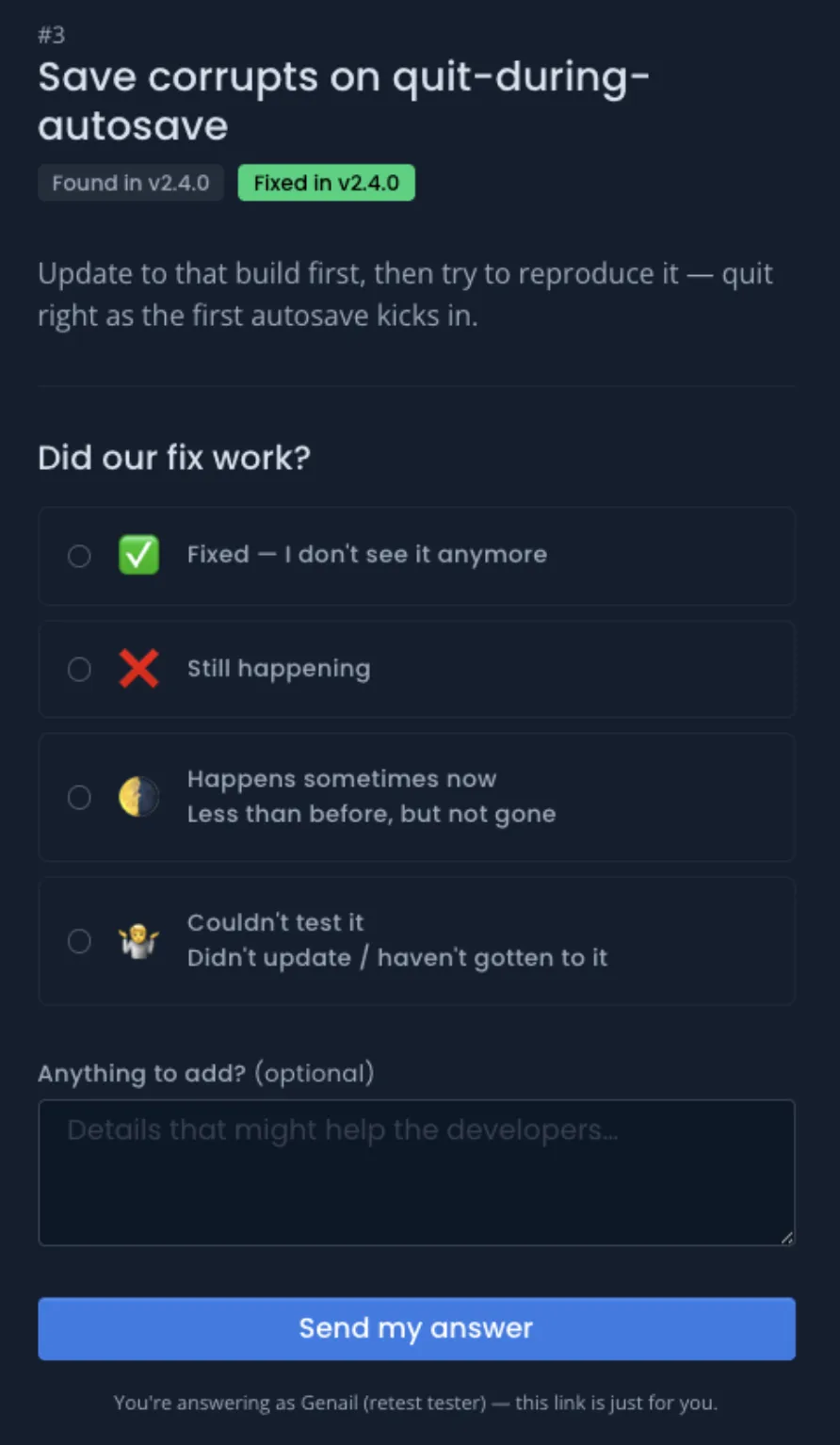
They pick one of the four answers, optionally add a comment, and send. Their reply lands straight on your bug.
Retest requests respect each person’s notification preferences: someone who has turned off developer-request notifications won’t be contacted through that channel.
See Also
- Managing Feedback – Triage, assign, and resolve bugs
- Quick Reference – Bug statuses and other lookup tables
- Discord Bot – How reporters are reached on Discord
- Contributing as a Tester – The reporter’s side of the workflow