News /Dec 16, 2025 /5 min read
What's New in BetaHub: November 2025
November brought smarter suggestion browsing, visibility into your Discord bot's performance, conditional integration sync, and error notifications when things go wrong.


November brought smarter suggestion browsing, visibility into your Discord bot’s performance, conditional integration sync, and error notifications when things go wrong.
Suggestions: New Navigation Headers
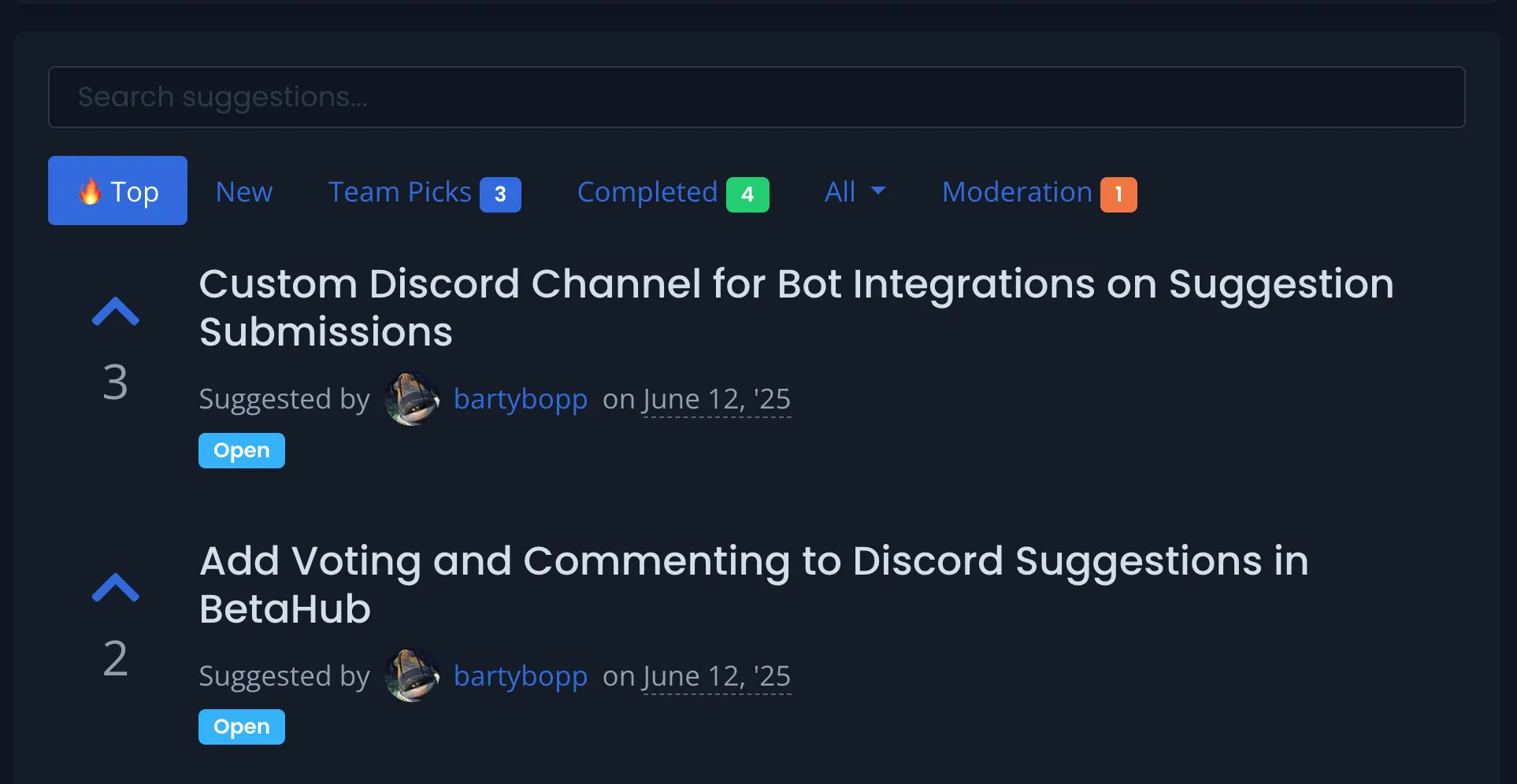
The suggestions page now has six tabs for faster browsing:
| Tab | Shows | Sorted By |
|---|---|---|
| Top (fire icon) | Active suggestions | Vote count |
| New | Active suggestions | Creation date |
| Team Picks | Under review, planned, started | Vote count |
| Completed | Finished suggestions | Creation date |
| All | Dropdown with all statuses | Various |
| Moderation | Pending approval (dev-only) | Creation date |
Team Picks, Completed, and Moderation tabs display badge counts so you can see at a glance how many items need attention.
Knowledge Interaction Stats
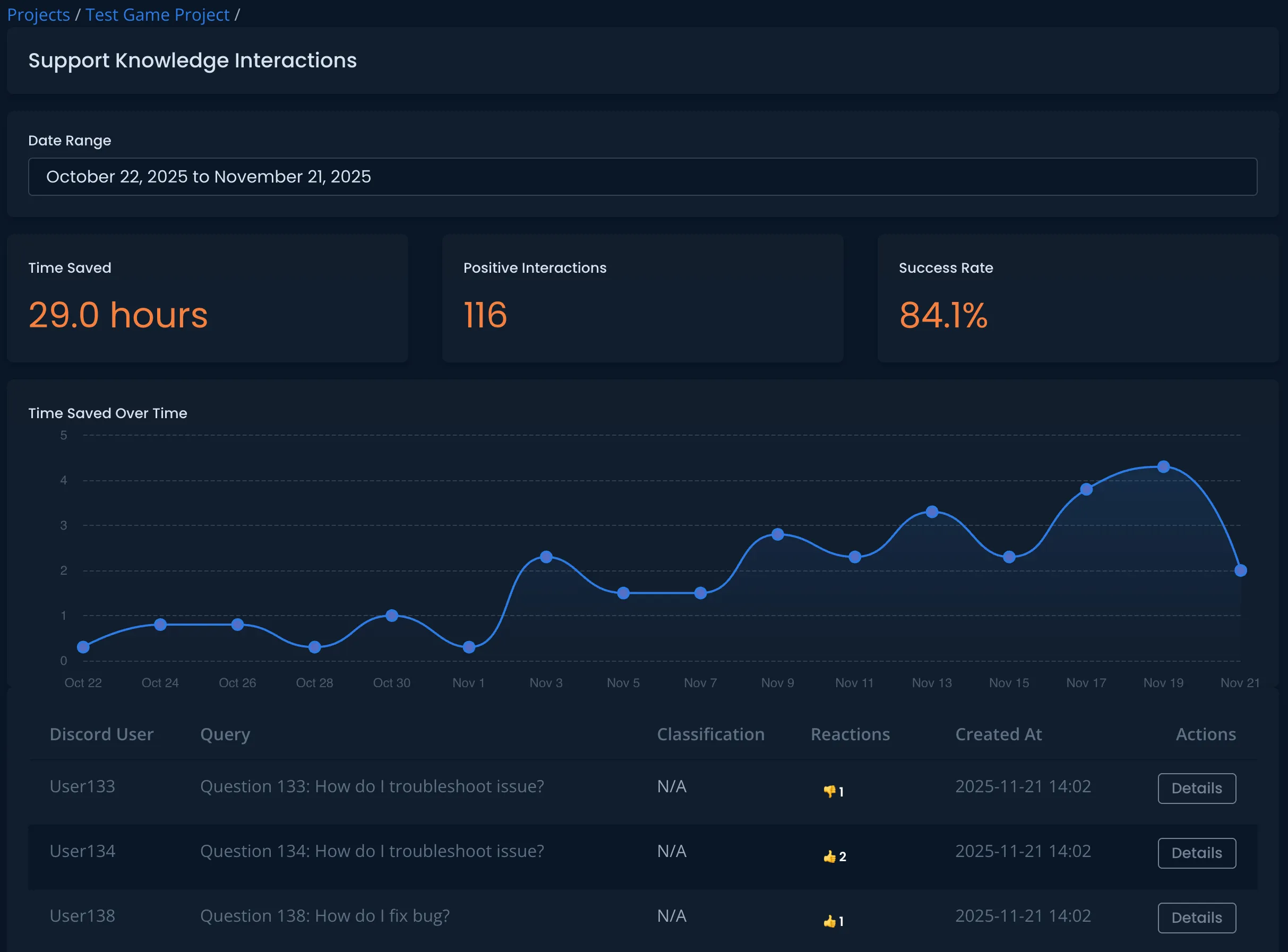
You can now see whether your support bot is actually helping users. Find it at Projects → Support Knowledge Interactions.
Three Metrics
- Time Saved — Hours saved based on positive interactions
- Positive Interactions — Count of helpful responses (no negative reactions)
- Success Rate — Percentage of positive interactions
The dashboard includes a date range picker (default: 30 days, max: 1 year) and a trend chart showing hours saved over time.
Below the metrics, a table lists individual interactions with Discord username, query, classification (bug/support/gameplay question), and reaction summary.
Discord Bot Updates
Debug Mode
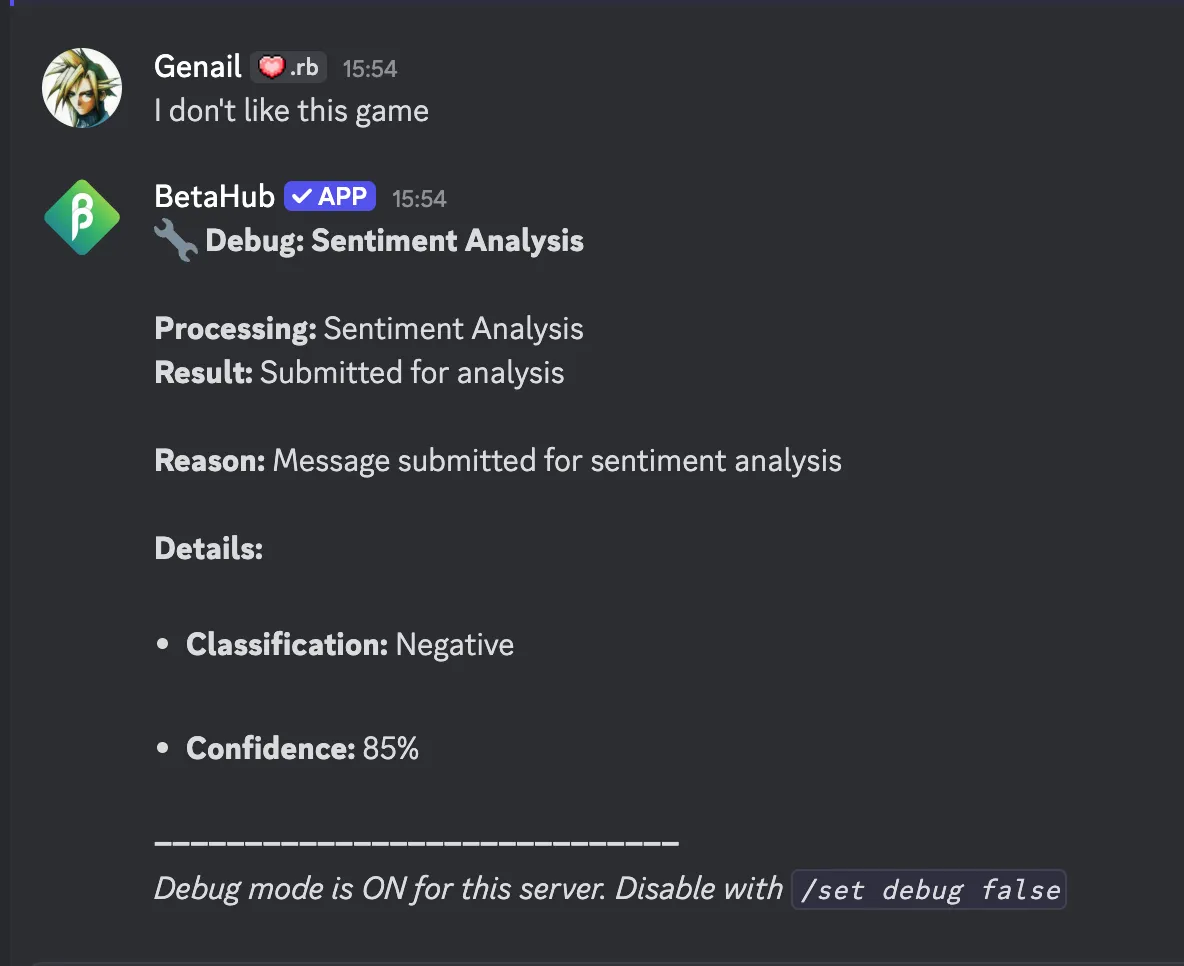
When the bot ignores a message and you’re not sure why, debug mode tells you exactly what happened.
Enable it:
/set debug true
Debug mode is available on servers with 1,000 members or fewer.
For every message in monitored channels, the bot replies with:
- Processing type (Bug Detection, Knowledge Base, Sentiment Analysis)
- Result (what happened)
- Reason (why it happened)
- Details (message length, user status, channel config)
Example response:
Debug: Bug Detection & Knowledge Base

Result: No action taken
Reason: Message too short (45 characters, minimum: 50)
Details:
- Message length: 45 characters
Turn it off when you’re done with /set debug false — it generates a lot of messages.
Demo Server
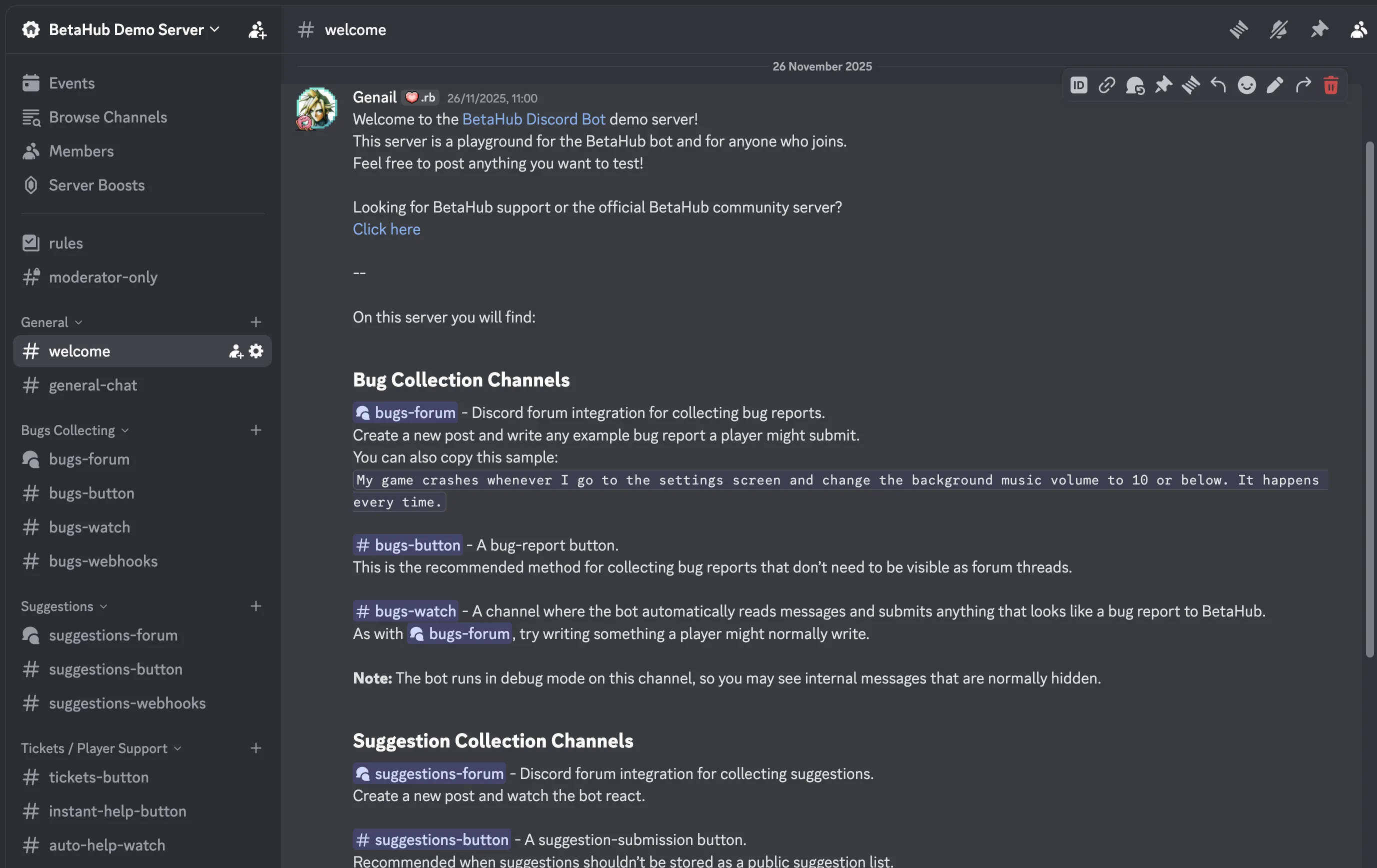
Test the Discord bot before setting it up on your own server. The demo server showcases most bot features — play with commands, see bug detection in action, test knowledge base responses.
Join: https://discord.gg/pq8VZCsVDt
Stability Fix
The bot had an issue where it would freeze during busy periods. The cause was memory buildup from cached Discord data that wasn’t being cleaned up.
The fix: automatic cache cleanup runs every hour. The bot now stays responsive during high-traffic periods.
Integration Updates
Conditional Automatic Sync
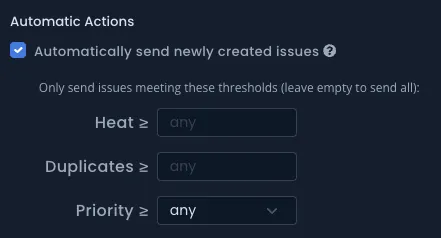
Teams using external tools (Jira, GitHub, Asana, etc.) can now auto-sync only bugs that meet certain thresholds — instead of syncing everything or manually pushing each report.
Two action types:
- Auto Create — Automatically create issues in your external tool
- Auto Update — Automatically sync changes
Three threshold conditions (all must be met):
- Heat threshold — Only sync bugs with enough engagement (e.g., heat >= 10)
- Duplicates threshold — Only sync bugs reported multiple times (e.g., duplicates >= 3)
- Priority threshold — Any, Low, Medium, High, Critical, or Blocker
Example: “Only auto-sync bugs to Jira when heat >= 10 AND priority >= High” — surfaces important issues automatically while filtering out noise.
Find these settings in Integration settings → Automatic Actions.
Error Notifications
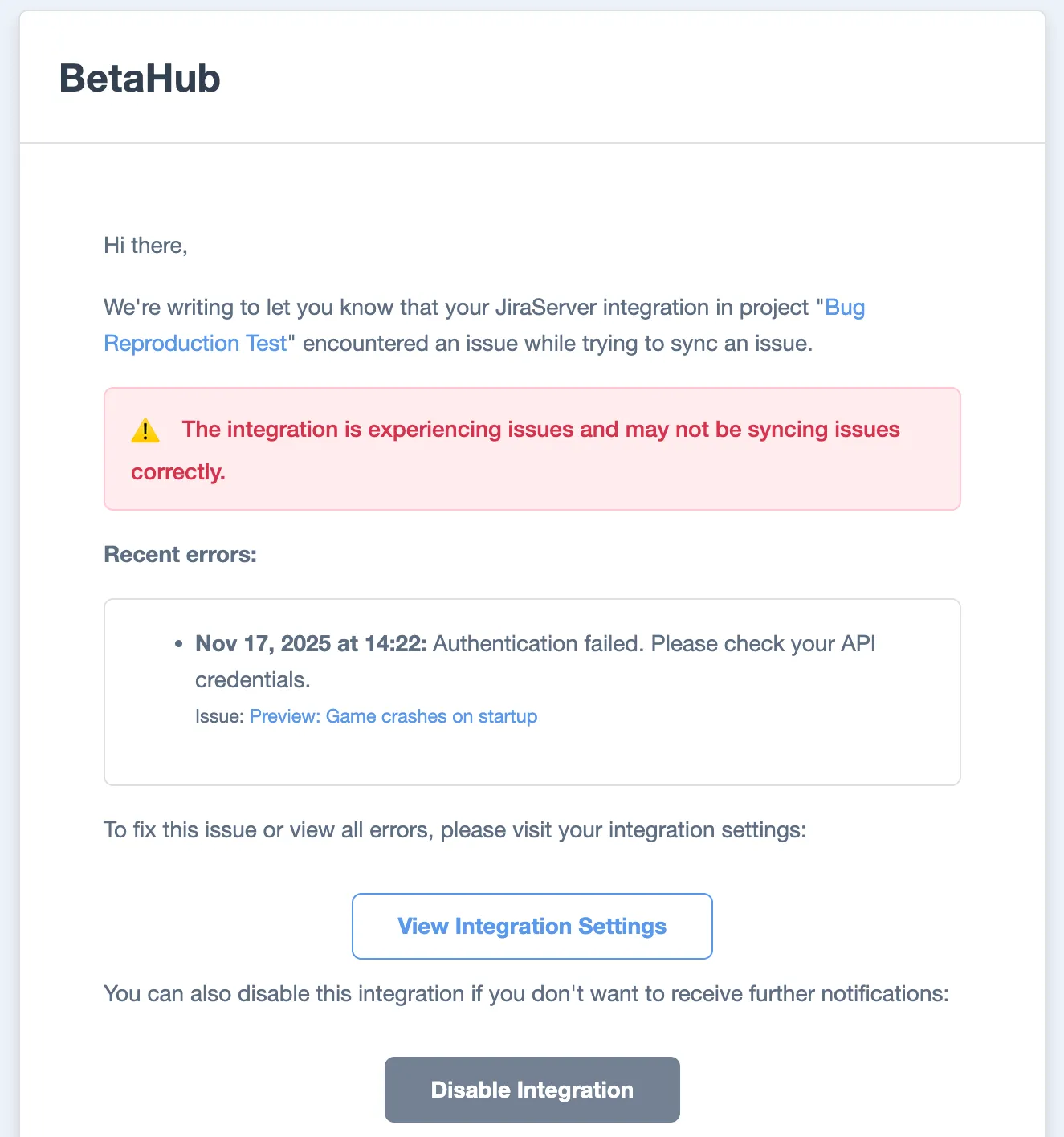
Integration failures now trigger notifications instead of failing silently.
Email notifications:
- First error: Immediate email to organization admins
- Continued errors: Digest email after 3 days with up to 5 recent errors
- Quiet period: If no errors for 5+ days, the next error triggers an immediate notification again
Emails include:
- Error timestamp and message
- Link to the failed bug
- “View Integration Settings” button
- “Disable Integration” button
On the integration edit page:
- Red alert banner if errors occurred in the last 3 days
- Up to 5 recent errors with timestamps and links to affected bugs
BetaHub MCP Server Updates
The MCP Server lets AI assistants (Claude, Cursor, etc.) query bugs, create issues, and search suggestions using natural language.
v0.2.0 (Nov 24):
- New status filters:
wont_fixandneeds_more_info - Date filters for creation and update dates
- Fixed JSON API to properly apply all filters
v0.3.0 (Nov 27):
- New
listIssueTagstool to discover available tags - Filter issues by tag IDs
Example prompt: “Show me high-priority bugs created this week that need more info”
What’s Next
Stay tuned for the December update!
Questions or feedback? Join us on Discord or email hello@betahub.io.
Join for free today
Supercharge your team with the best bug tracking and player feedback tools. No credit card required, forever free.

Our Mission
At BetaHub, we empower game developers and communities with an engaging platform for bug submission. We foster collaboration, enhance gaming experiences, and speed up development. BetaHub connects developers, testers, and players, making everyone feel valued. Shape the future of gaming with us, one bug report at a time.

2026 © Upsoft sp. z o.o.